
Internal workers involved in operational workflows.
Civeo /
I turned an Excel-led service process into one readable operating surface for internal teams working with municipal diputaciones.
The decisionPreserve the operational context from overview to action, even when a live source cannot respond.
[ PROJECT SCOPE ]
A production implementation, shaped and tested with the people who needed to read the operation.
Province, category, section and operational panel.
A coded product with live states, editable widgets and an embedded assistant.
[01.00]>Read the operation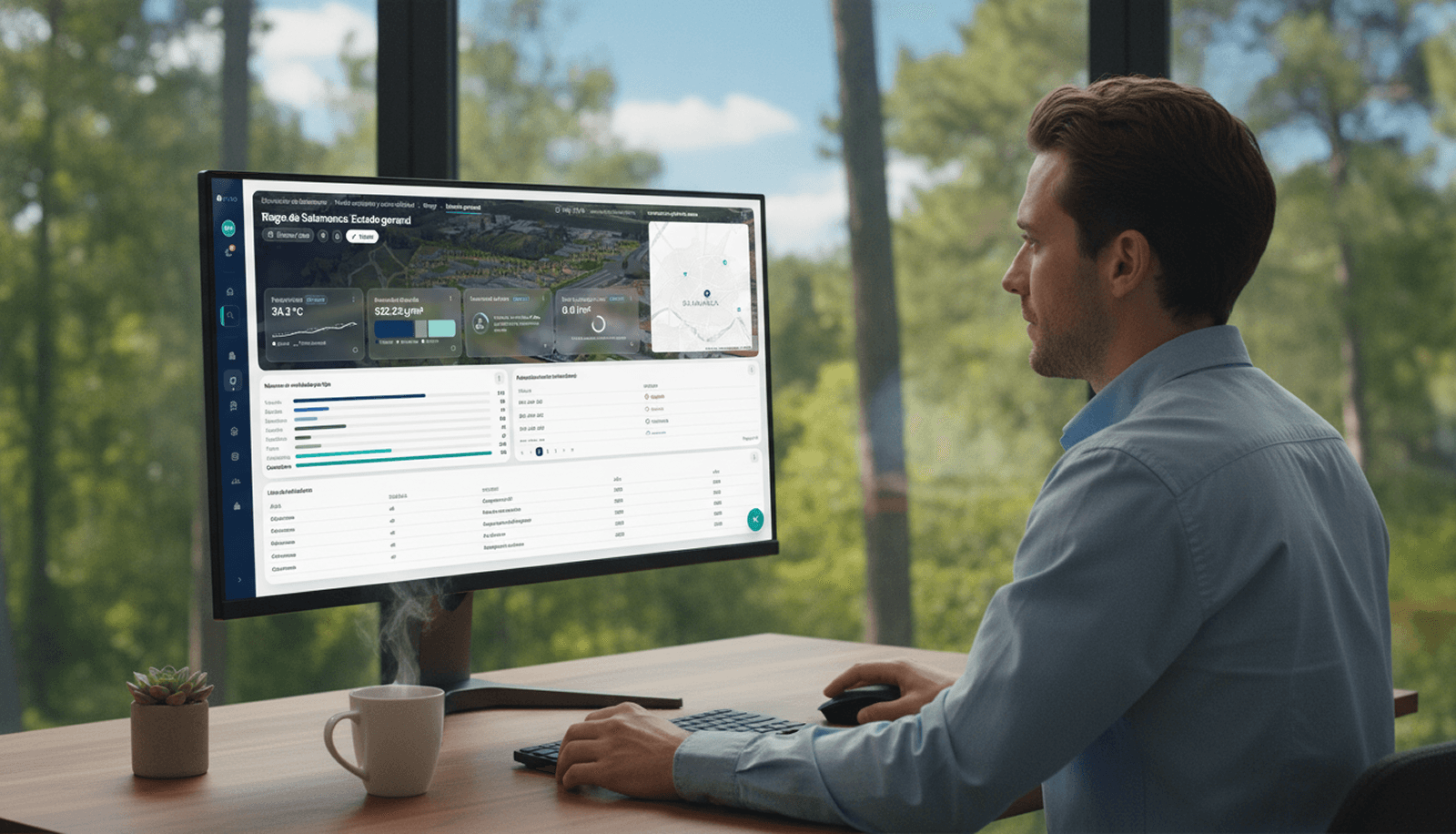
One surface keeps the active context, live signals and next actions together.
The data existed. The operating context had to be rebuilt every time.
Teams relied on Excel and separate service views. A worker could find an individual number, but understanding its province, service and next action required memory and repeated explanation.
I treated the brief as an information architecture problem. The product had to preserve the question a person was answering while they moved from a provincial overview into operational detail.
Starting pointExcel and disconnected views
Design questionHow can context survive the route?
ConstraintStay useful when live data fails
[01.01]>Workshop evidence
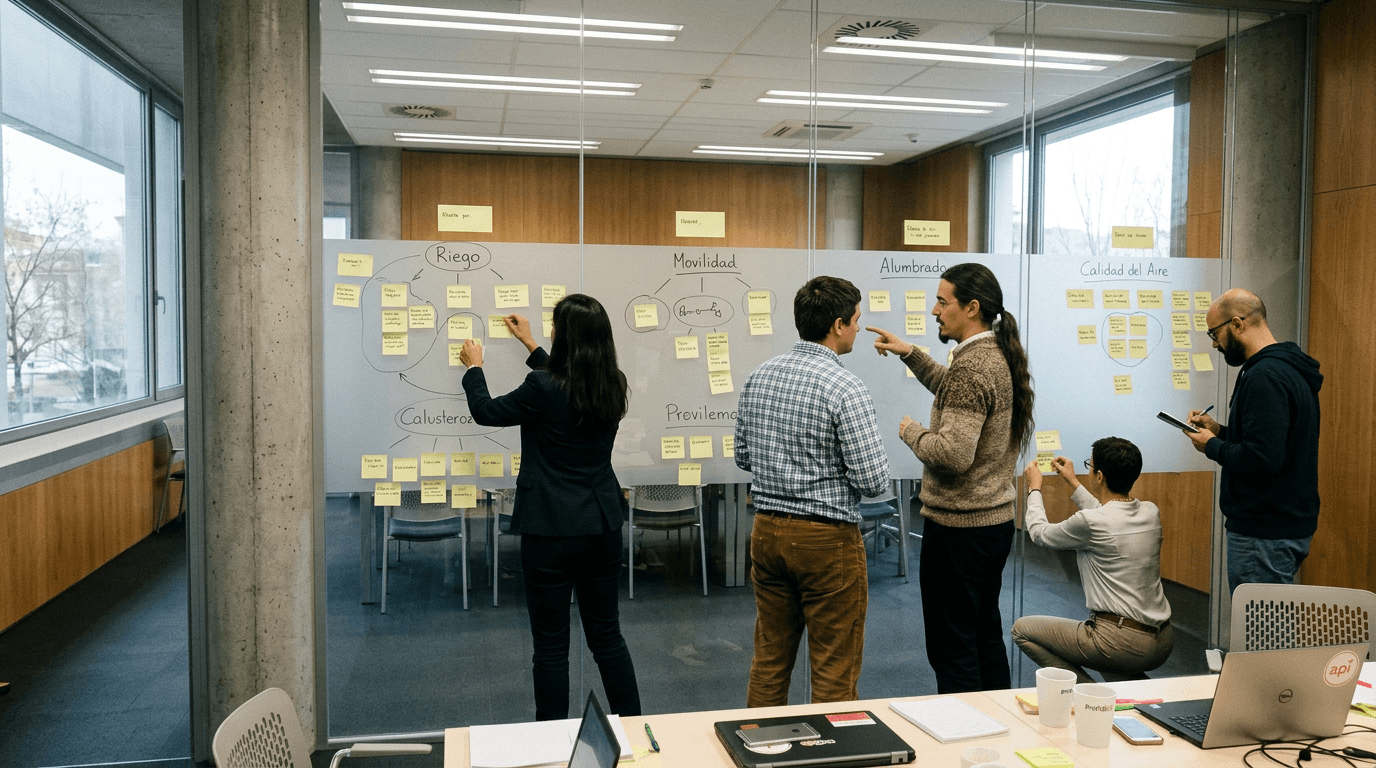
I listened for the moments where people lost the thread.
The workshop and walkthrough material helped separate a navigation symptom from the deeper continuity problem.
[02.00]>Product model
Navigation became the operating model.
Every transition had to answer three things: where am I, what changed and what can I open next?
Province
Start with the geography the team is responsible for.
Category
Move into a service such as irrigation, mobility or air quality.
Section
Choose the operational slice that needs attention.
Panel
Read metrics, alerts and actions in one working view.
[02.02]>Product implementation
The interaction is evidence.
The sequence shows the product at a glance. The embedded version underneath lets you change province, edit the dashboard and open the assistant yourself.
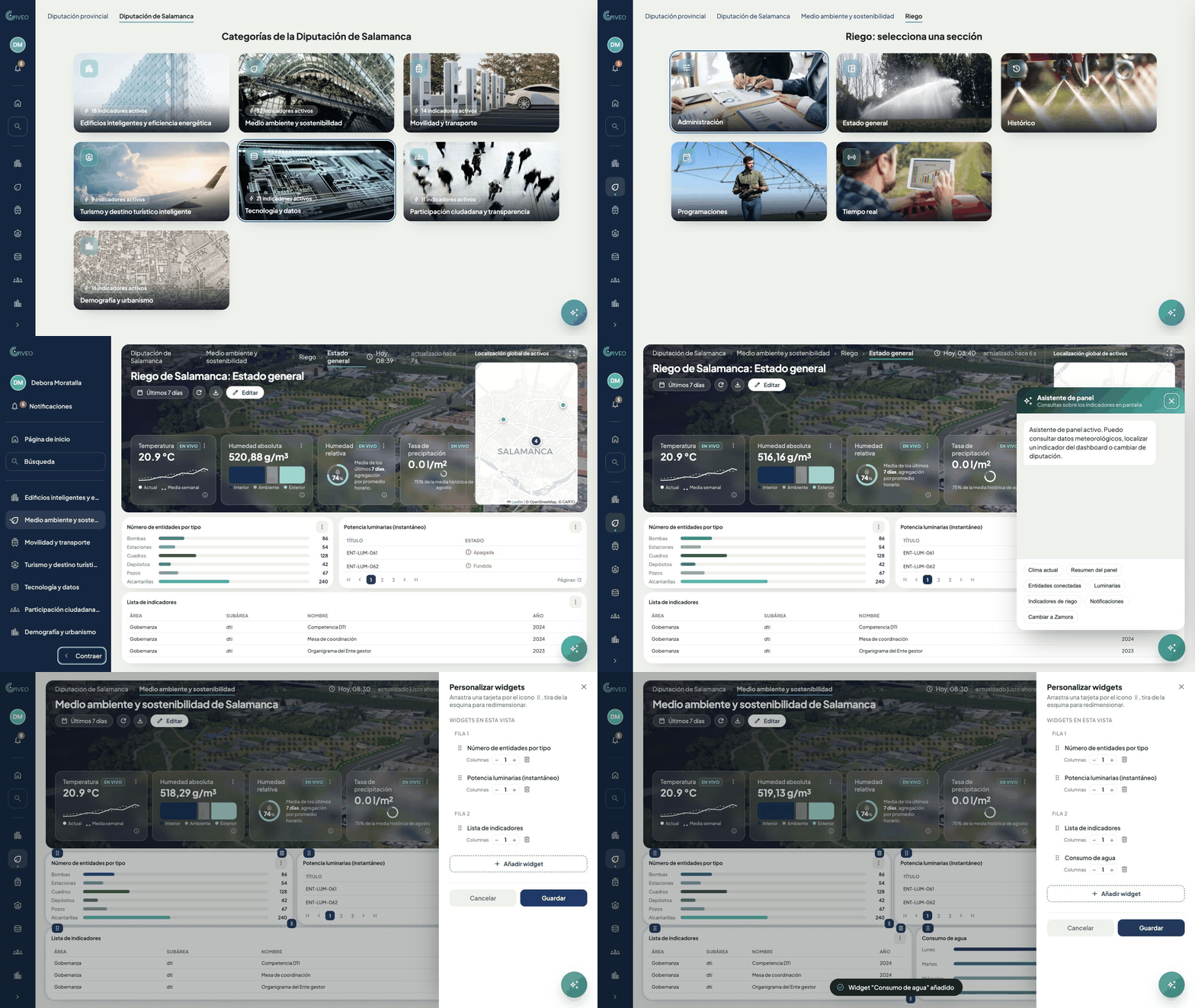
INTERACTIVE PRODUCTOpen in a new tab ↗
The complete operating surface is available in a dedicated tab on smaller screens.
[03.00]>Live context
Live data is useful when its state is visible.
The weather card reads Open-Meteo for the selected province. Loading, live, timeout and offline states are part of the interface, so an unavailable reading never masquerades as a valid one.
Loading
Reserve the card while the request is in flight.
Live
Confirm that the reading and source are current.
Timeout
Abort the request without blocking the dashboard.
Offline
Explain what is unavailable and preserve the rest.
[04.00]>Contextual agent
The assistant can interpret the interface. It cannot invent its data.
The agent sits inside the panel rather than in a separate chat. It reads the selected province, KPI and notification state, then offers explicit actions tied to the visible product.
Civeo uses a local rule engine instead of a remote generative model. That made each response inspectable and established the grounding rules a future AI implementation would need.
Current product state
Province, panel, indicators and notifications.
Explicit actions
Known suggestions that map to real interface functions.
Ungrounded answers
No plausible response when the product has no evidence.
[04.01]>How I worked
AI accelerated implementation. Product judgment set its boundaries.
I worked as the Product Designer and used Claude and Codex during exploration and implementation. I defined the hierarchy, interaction rules, data states and the limit of the assistant.
The 15 workers were the users and testers. I reviewed the result in the browser and against the code, including persistence, province changes, Open-Meteo states and assistant actions.
Usage showed that the surface could hold context. The next question is whether it changes operational decisions.
I would instrument the moments that previously required reconstruction: switching between province and service, choosing a widget arrangement, recovering after an unavailable source and accepting or dismissing an assistant suggestion. The product is deployed. The next evidence should come from how those decisions change over time.
The interface became useful when it stopped asking people to reconstruct the system in their heads.
> MORE WORK