
Once code became the source of truth, I no longer wanted designers copying its structure back into Figma by hand. So I built a bridge instead of another checklist.
Define the job before opening the Plugin API
The job was not ‘generate a Figma component’. It was narrower: read a maintained component catalogue and carry names, options and token references into a place designers could inspect.
That boundary mattered. A plugin can reproduce metadata reliably; it cannot decide whether a pattern should be one component or five.
Create a catalogue code can explain
I built a TypeScript catalogue builder that describes each component’s props, variants, booleans, slots, defaults, CSS token references and Storybook metadata.
The catalogue becomes a stable interchange layer. The plugin does not need to parse an entire repository or guess intent from a screenshot.
Keep the plugin architecture small
The main plugin process reads the catalogue and creates or updates Figma nodes. A separate UI lets the designer select components, review incoming properties and see warnings before anything changes.
- manifest.json defines permissions and entry points.
- code.ts talks to the Figma Plugin API.
- ui.html handles selection, progress and review.
- Typed messages keep the two contexts explicit.
Design for partial failure
Imports fail in ordinary ways: a font is missing, a token has no match or a property changed since the last sync. I log those mismatches instead of silently inventing a substitute.
That makes the plugin useful as a diagnostic tool too. Drift becomes visible while it is still inexpensive to discuss.
From a coded catalogue to an editable component.
The plugin carries component structure into Figma without flattening it. Selection begins with the maintained catalogue; the output preserves the properties designers need to work with the component.
The component already describes its usable structure.
CheckboxSize, visual states, booleans and defaults are explicit in TypeScript. The importer has a typed contract to interpret instead of inferring variants from pixels.
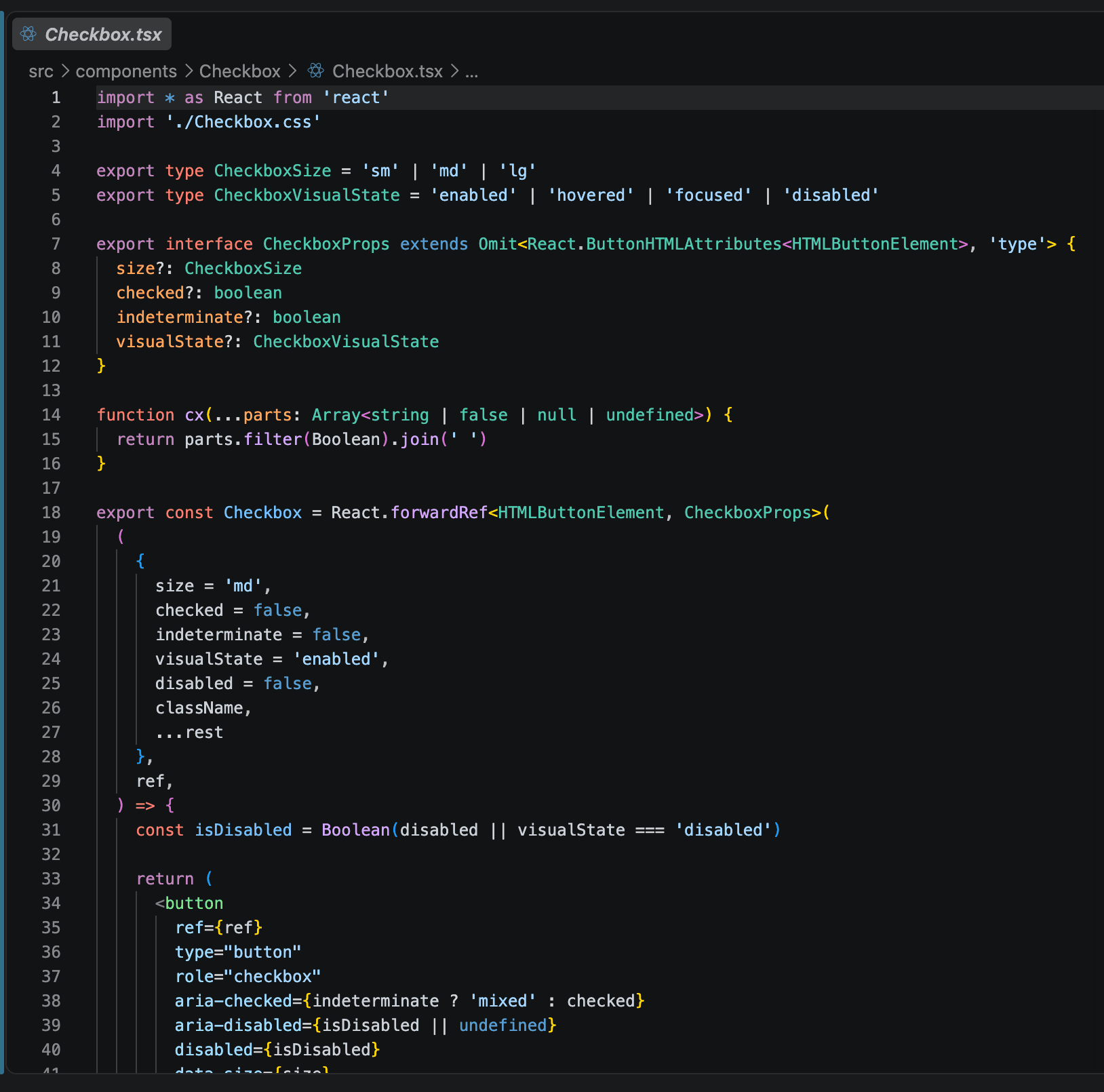
The importer begins with a real coded component.
Inside Figma, the plugin exposes the components available in the local design-system catalogue. Selection replaces rebuilding structure from a screenshot or remembering another naming convention.
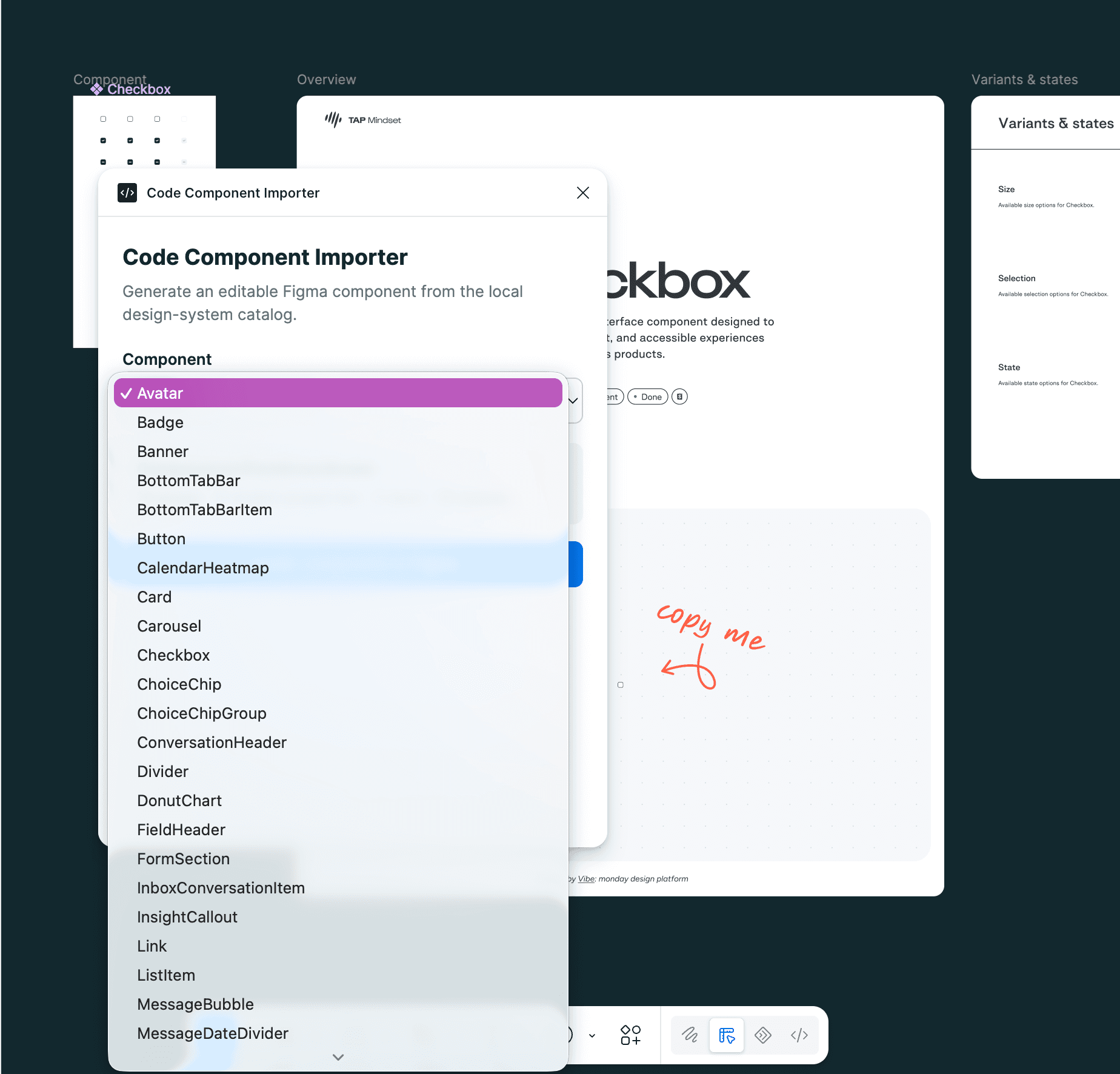
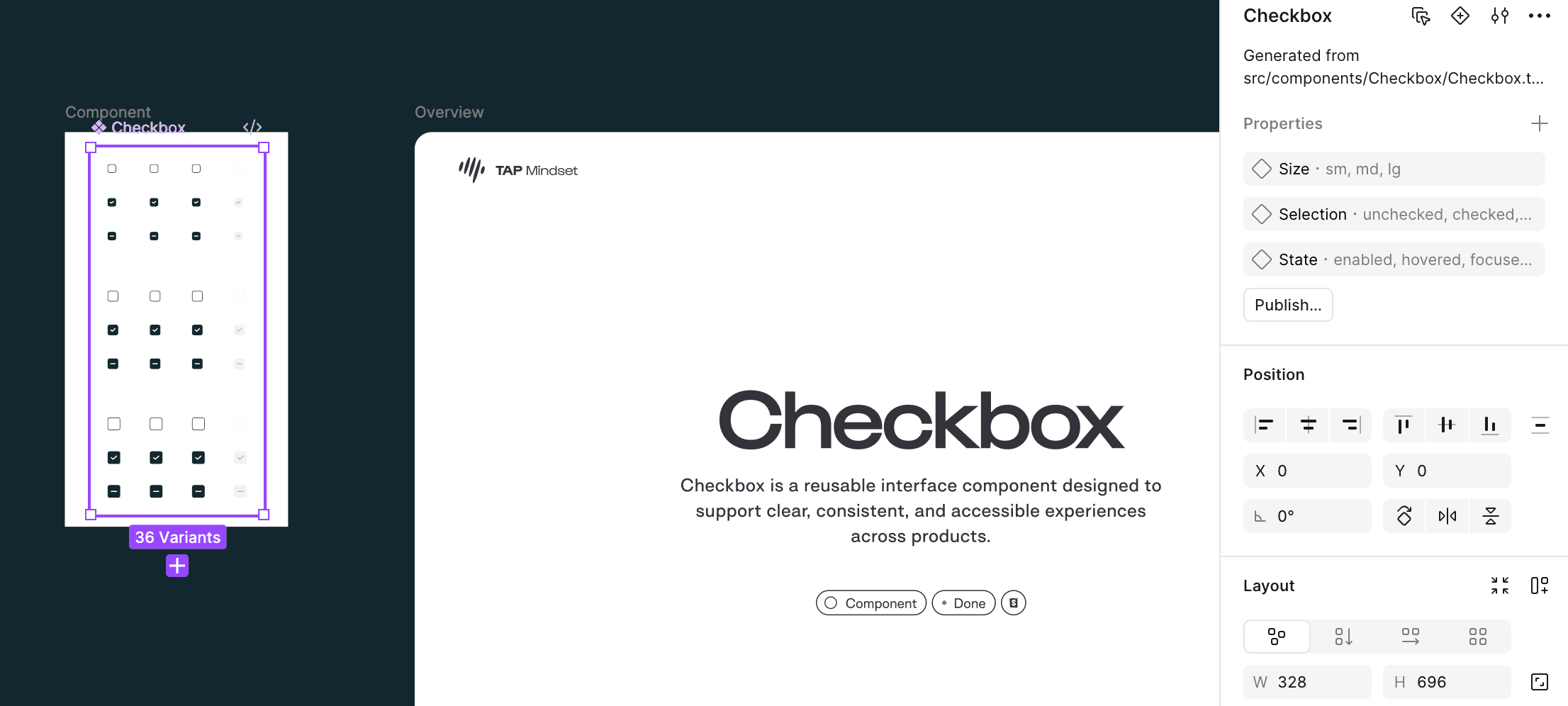
The result is a component set, not a pasted picture.
The generated Checkbox keeps 36 variants and exposes Size, Selection and State as editable Figma properties. Its source path remains visible, making the relationship with code inspectable.
What you can reuse.
Not just a conclusion: these are the working artefacts behind the argument. Open them, question them and adapt what is useful.
Catalogue builder
The interchange layer that extracts component structure before Figma imports it.
Read the builderPlugin implementation
Manifest, plugin process and UI kept together in a small inspectable tool.
Inspect the pluginSource component
The typed Checkbox contract used to create editable Figma properties.
Read Checkbox.tsx